
Raspberry Pi OS 6.2, the second update based on Debian Trixie, brings a security change that Linux users have long expected: sudo now requires a password on fresh installations.
Until now, Raspberry Pi OS shipped with passwordless sudo enabled by default. You could run any command with sudo and get administrator privileges without entering credentials. Convenient, sure, but also a real security gap: anyone with access to the machine could execute privileged operations without knowing a single password.
What changes now
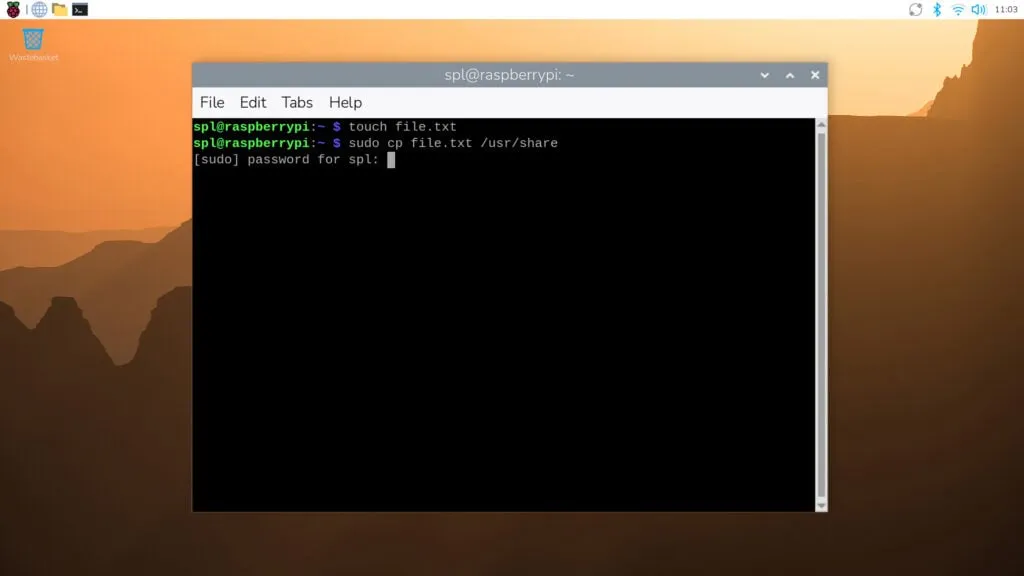
Starting with this version, typing sudo in the terminal prompts for the current user’s password. Once entered correctly, you won’t be asked again for the next five minutes, even for additional privileged commands. Some graphical operations, like certain Control Center settings, now also show an authentication dialog.
If you want the old behavior back, it’s straightforward: in the desktop interface, disable the “Admin password” option in the System section of Control Center. From the command line, use raspi-config and navigate to the System menu.
Who this actually affects
This deserves emphasis because it’s the most important detail: the change applies only to fresh installations. If you update an existing Raspberry Pi, you’ll see the new option in Control Center, but the behavior stays the same unless you change it manually.
For headless setups running automated scripts that rely on sudo, test your setup after a clean install and reconfigure if needed.
The rest of the update contains bug fixes and minor improvements accumulated over recent months, nothing else major.
 Mastodon
 Telegram
 Bluesky
 RSS
RSS