
AdGuard DNS reaches version 2.21 with two distinct features: a fresh security function and a redesigned interface for those analyzing DNS traffic in detail.
Blocking lookalike domains masquerading as typos
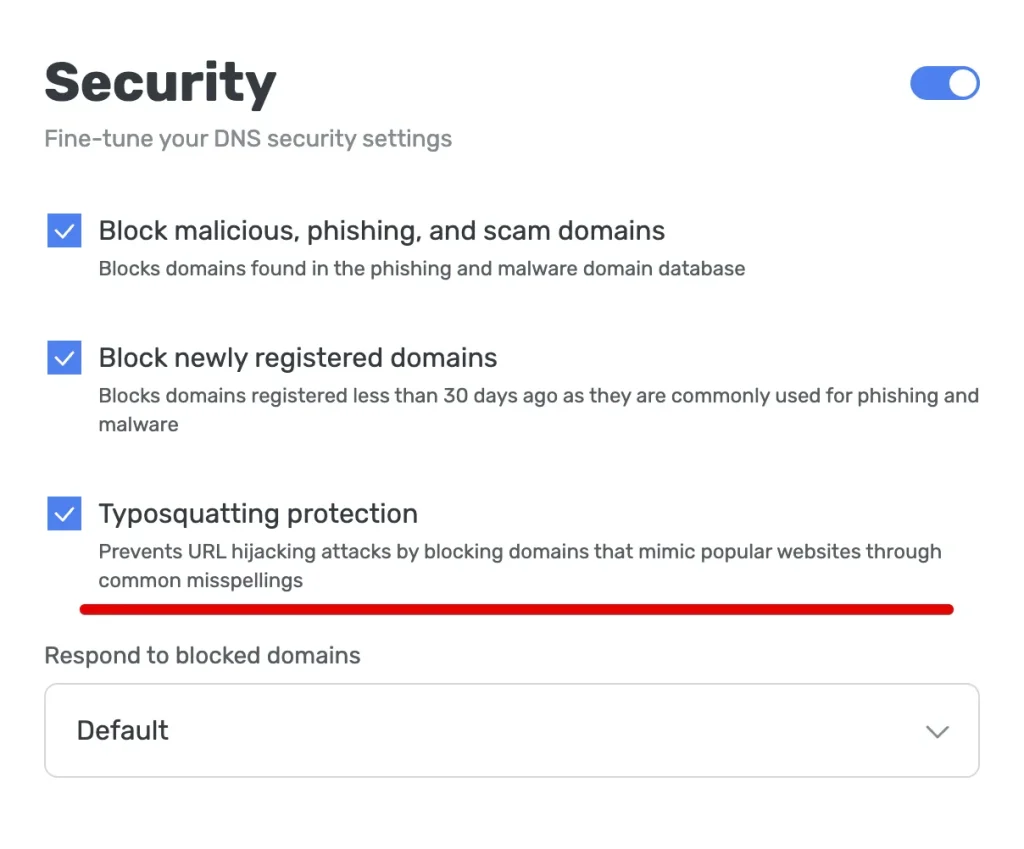
Typosquatting is a technique as widespread as it is underestimated. Criminals register domains nearly identical to popular ones, betting on the fact that anyone might type gooogle.com instead of google.com, or miss a letter. Behind those addresses sit phishing pages, malware, or deceptive advertising more often than not.
With this version, AdGuard DNS spots and blocks these domains at the DNS resolution level, before your device even attempts a connection. The system analyzes recurring patterns like swapped letters, additions, or omissions, and blocks the request upfront.
Enable the protection from the dashboard: Servers, then Security, then the Typosquatting protection checkbox. Since the mechanism relies on similarity to known domains, it may occasionally flag legitimate addresses that resemble popular sites. If that happens, simply disable the feature or add an exception in your server’s user rules.
Query log becomes more navigable
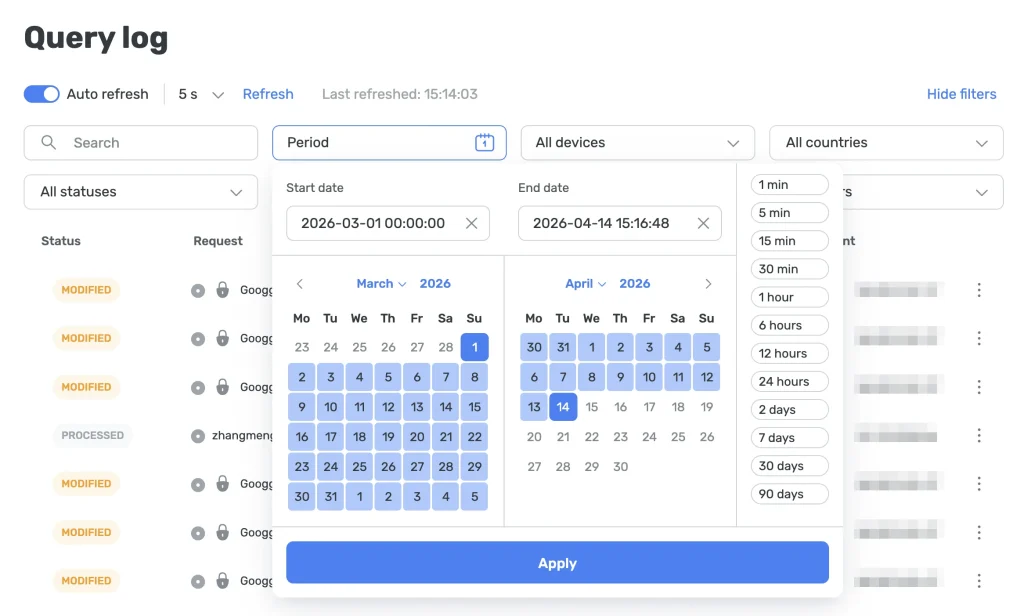
The query log, the tool showing every domain your devices have attempted to reach, gets a substantial overhaul in this release.
Traditional pagination is gone: entries load automatically as you scroll down. When exploring older requests, new incoming events no longer shift your position in the list, a quirk that made real-time analysis tedious. The auto-refresh interval is now customizable.
The most useful addition for those using the log for diagnostics is precise time filtering. Instead of just the presets available before (last hour, last 24 hours, last month), you can now set a range with exact start and end dates and times.
 Mastodon
 Telegram
 Bluesky
 RSS
RSS