Zed, the open source code editor built for speed without compromise, now supports parallel agents in version 0.233.5. You can launch multiple AI sessions at the same time in a single window, each with its own isolated context and conversation history.
Multiple agents, single workspace
The centerpiece is a new thread sidebar that tracks all active sessions grouped by project. From there you assign a different model to each thread, control which folders or repositories each agent can access, and watch progress in real time. Starting, pausing, or archiving a session all happens in one place.
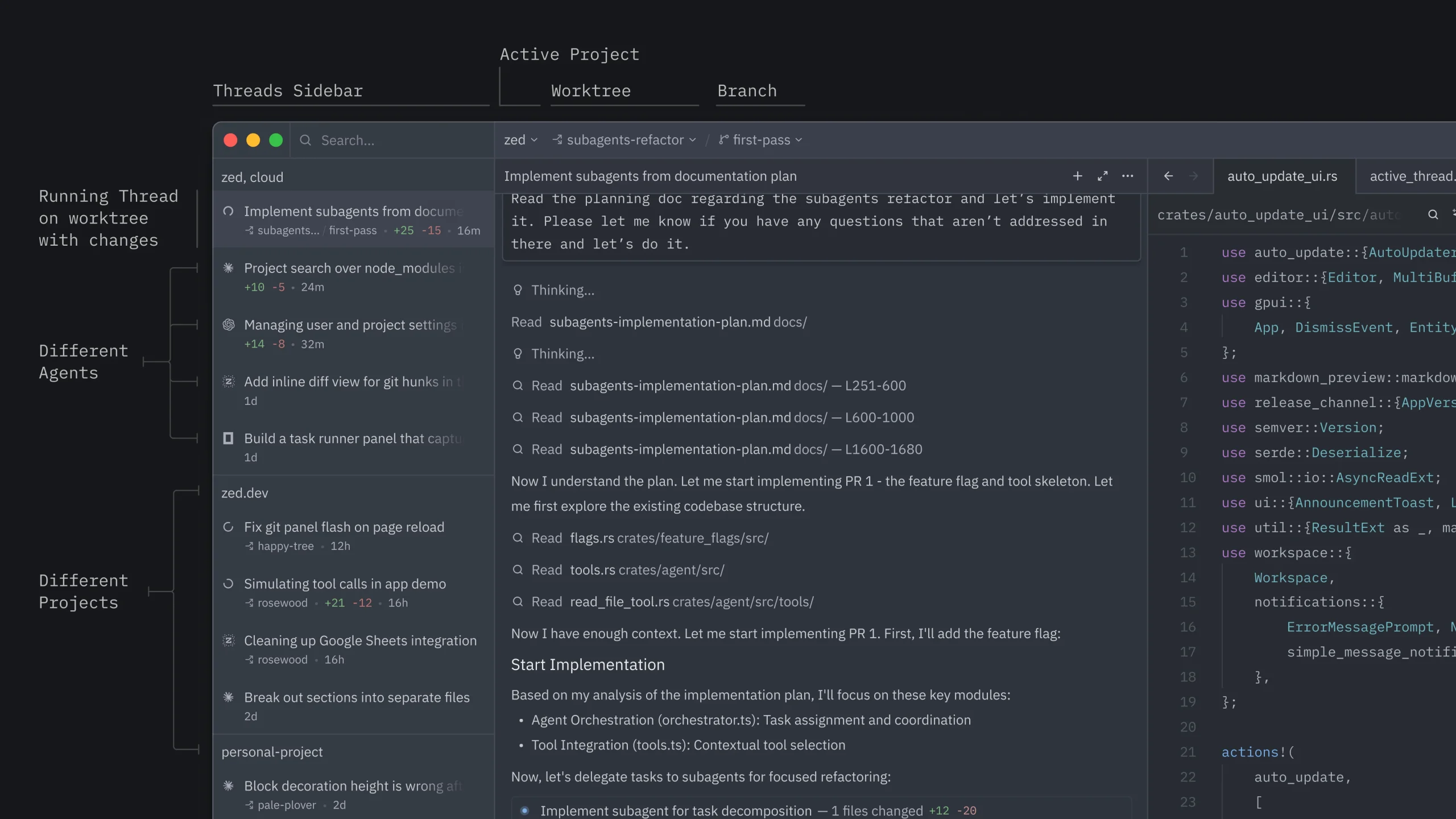
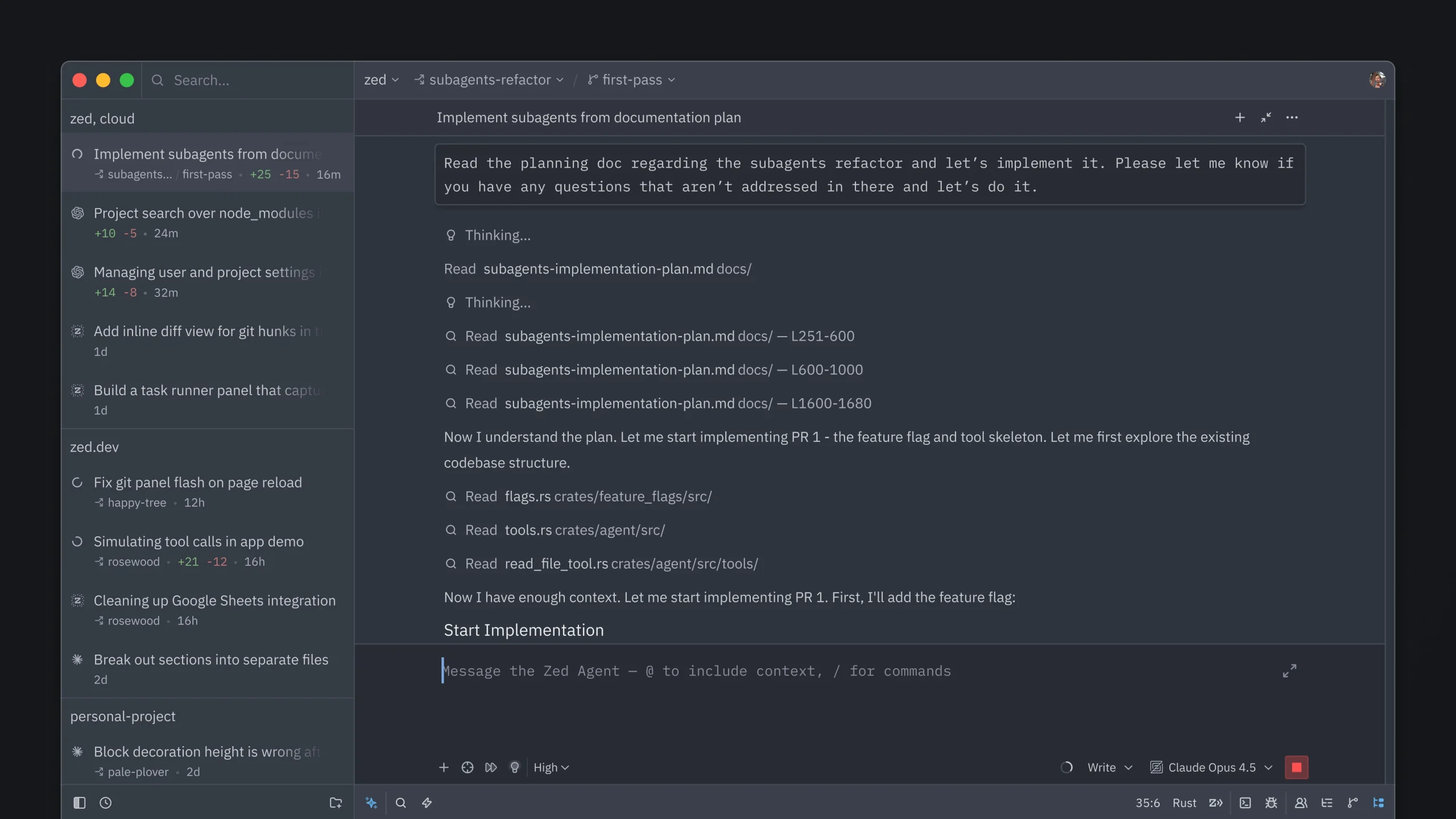
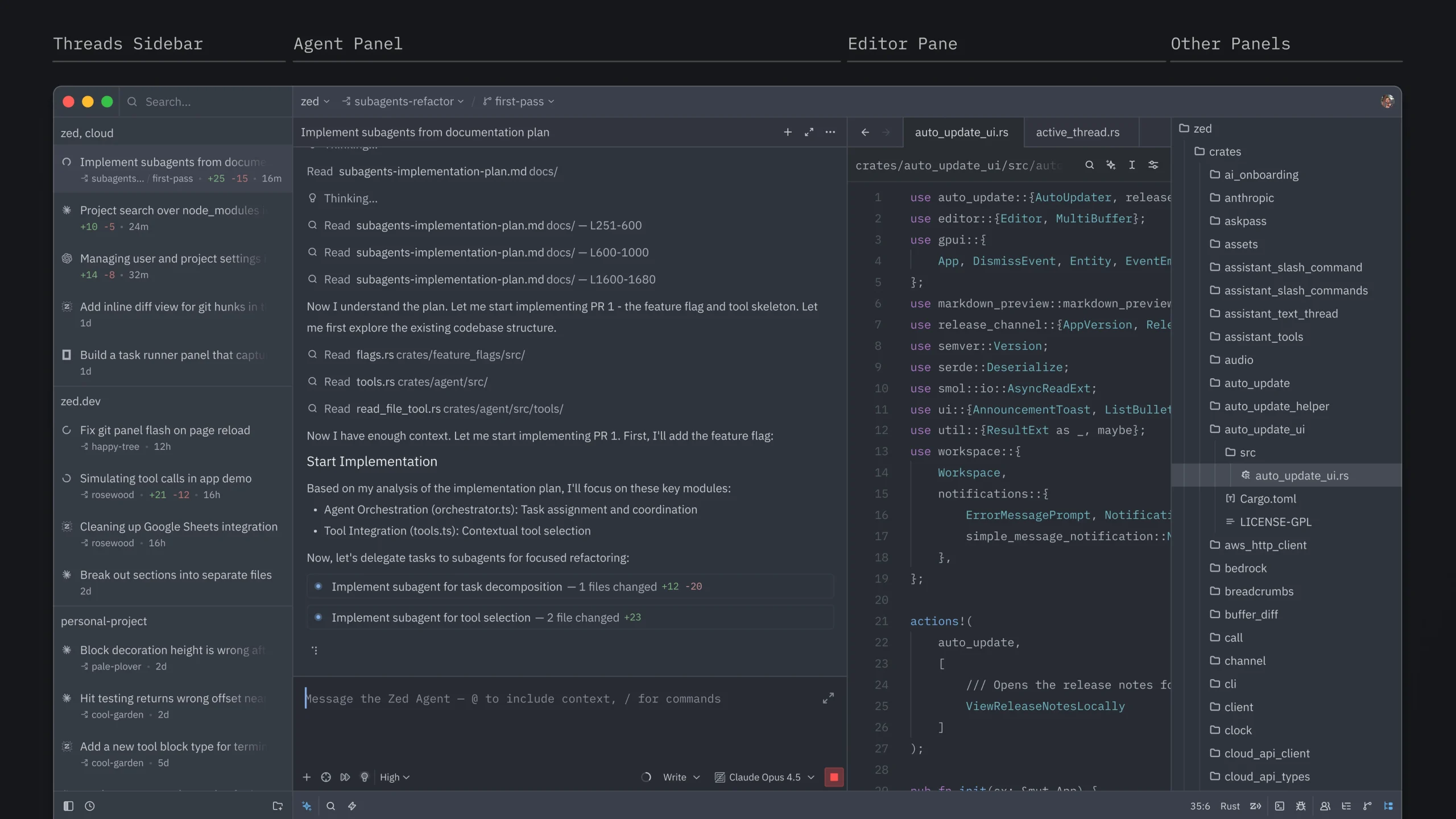
Different threads can use different models, so you could run Claude on one and another provider on another, matching the tool to the job at hand. You can also isolate worktrees per thread to keep each agent’s work separate, but it’s optional. You decide based on what you need.
Panel layout reshuffled
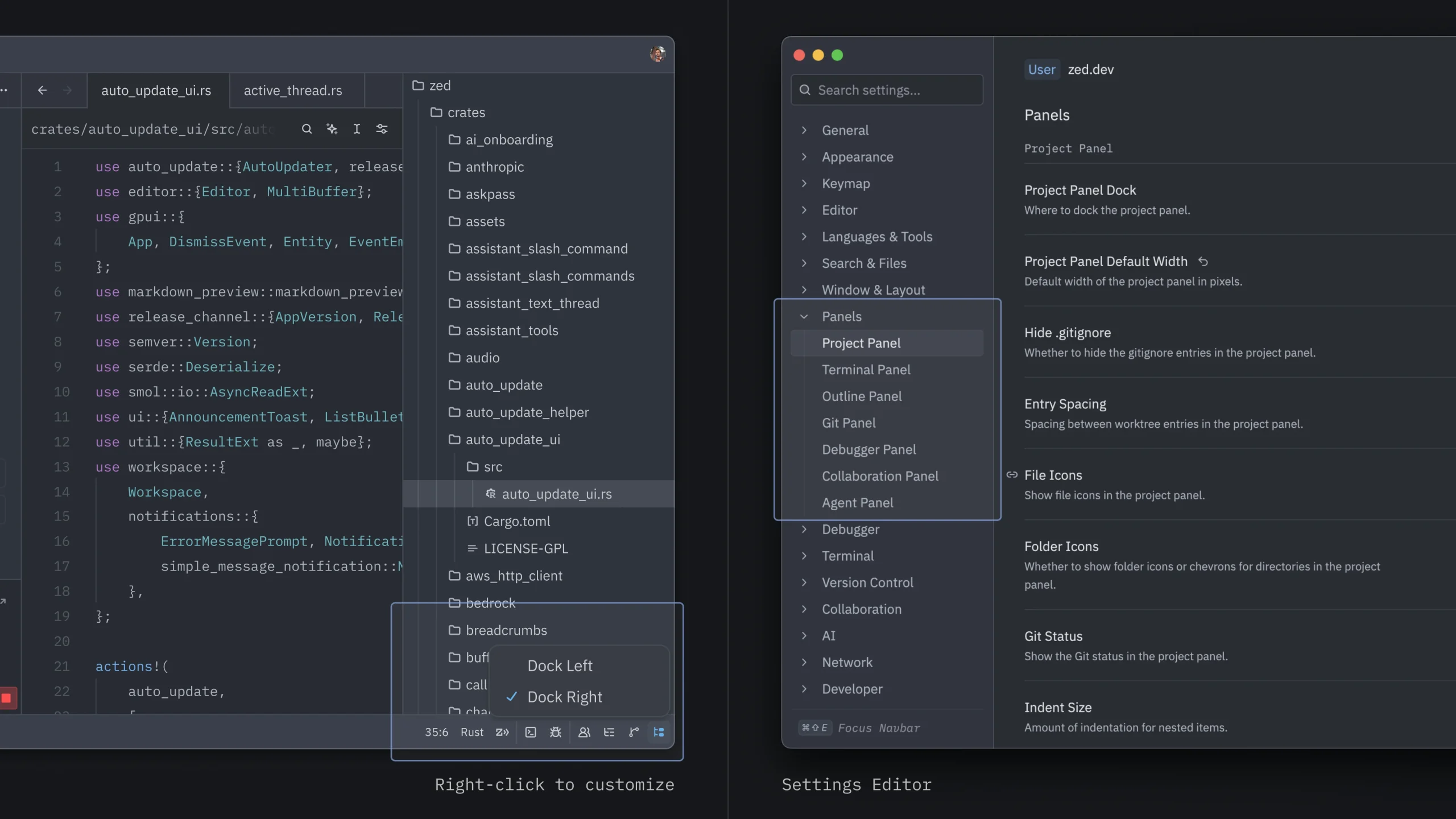
This version also reorganizes where panels sit by default. The agents panel and thread sidebar move to the left, while the project panel and Git sidebar shift to the right. If you’re already using Zed, you’ll notice the change on startup, but everything stays reconfigurable with a right click on the icons in the bottom bar. New users get this layout by default. Existing users can opt in.
 Mastodon
 Telegram
 Bluesky
 RSS
RSS